 Angel Reminder
Start › Help & docs › Connected apps
Connected apps
In short: With “Connected apps” you link up app-to-app with people you trust. They then see in their own app that you are fine – your check-in status, but none of your notes or content. Optionally you can allow a connected person to check you in.
“Connected apps” is different from recipients or your trusted person: those only receive something in an emergency. Connected people accompany you in everyday life – they continuously see that all is well, entirely without access to your data.
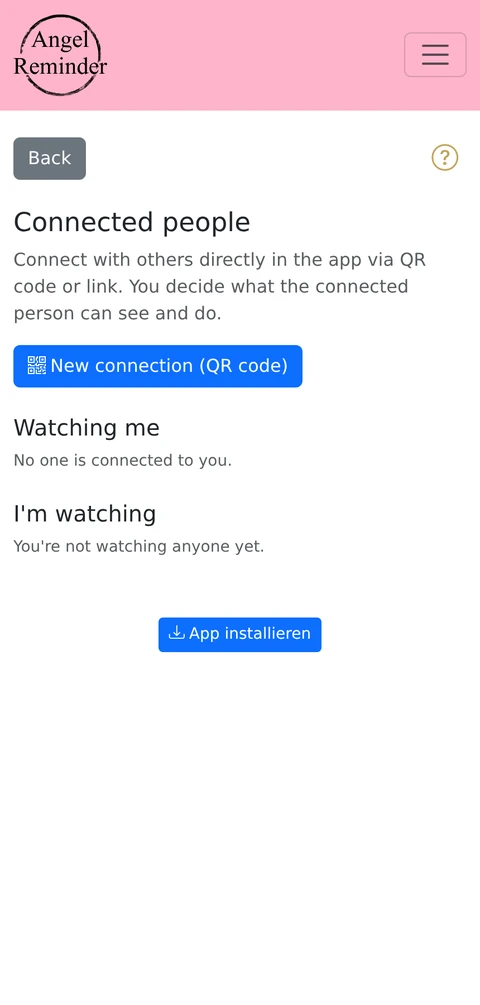
How to connect
Open the Connected apps section and create an invitation. You get a QR code (and a link). The other person scans the QR code with their Angel Reminder app – done, you are connected. The QR code is ideal for connecting someone in person (e.g. grandparents show their phone, the grandchild scans it).
What the connected person sees
Only your status: “fine” or – if a check-in is overdue – a corresponding notice. They never see your notes, recipients or other content. Data-minimal by design.
Check-in on your behalf (optional right)
When inviting, you can give the person the extra right to check you in – i.e. to confirm your check-in for you. Handy when, for example, a child looks out for a parent. Without this right the person can only see the status, not act on it.
Ending a connection
Both sides can end a connection at any time – you under “Connected apps”, the other person in their app. After disconnecting, the connection is deleted; status access is no longer possible.
What to keep in mind
- Only connect with people you trust.
- Grant the check-in-on-behalf right deliberately – only if the person really should be able to check you in.
- The QR code is a personal invitation; do not share it publicly.